Terraform for Startups: How to Manage Cloud Infrastructure Properly from Day One
Startups move fast, but cloud infrastructure punishes improvisation. The first production database, the first load balancer, the first background queue, and the first security exception all have a habit of becoming permanent. Terraform gives early teams a way to treat infrastructure as software: versioned, reviewable, reproducible, and safe to evolve as the product grows. Terraform is built around providers, resources, state, and a plan/apply workflow, and its official guidance emphasizes remote state, modules, and disciplined workspace usage for collaboration and scaling. (developer.hashicorp.com)
For startups, the argument is not just “IaC is nice.” It is that every manual change becomes future debt. A one-off console tweak can create drift, break reproducibility, and make later automation harder. Terraform’s model is especially useful because it records how real infrastructure maps to configuration, supports reusable modules, and makes changes visible before they are applied. If you start with that discipline on day one, you avoid the painful rewrite that many teams face when they finally realize their cloud setup is no longer manageable by hand. (developer.hashicorp.com)
Why Terraform matters for startups now
The startup cloud stack has changed. Even small teams are now expected to ship on cloud platforms, integrate managed services, and support multiple environments without slowing down product delivery. Infrastructure-as-code has become a practical default in DevOps and backend workflows because it turns infrastructure into a versioned artifact that can be reviewed, tested, and replicated. Terraform fits that need because it is declarative: you describe the desired end state, and Terraform figures out the actions required to reach it. HashiCorp’s own language documentation makes clear that Terraform can express dependencies between resources and manage multiple similar resources from a single configuration. (developer.hashicorp.com)
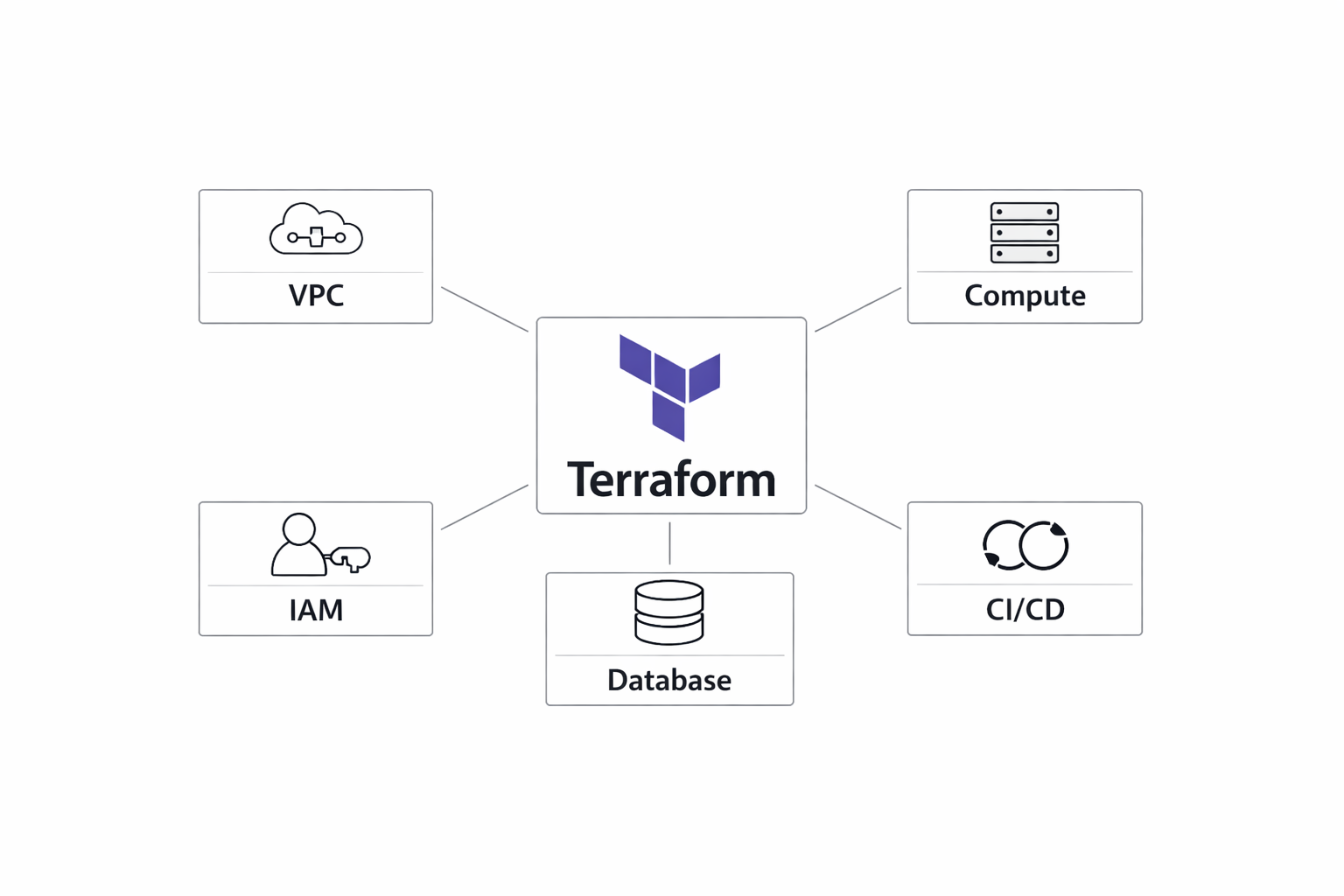
This matters even if you are not truly “multi-cloud” on day one. Many startups begin with a single cloud provider but still consume multiple managed products: object storage, IAM, databases, load balancers, message queues, DNS, monitoring, and secrets systems. Terraform normalizes all of that under one workflow and one review process. That is especially useful when backend engineers, platform-minded founders, and DevOps generalists all touch the same infrastructure. Instead of each person inventing a different deployment method, Terraform gives the team a shared language for infrastructure changes. The result is less friction, better auditability, and easier onboarding for new engineers. (developer.hashicorp.com)
Another reason Terraform matters now is that startup infrastructure changes quickly, but the consequences of mistakes are immediate. A misconfigured IAM policy, an untagged resource, or an accidental public endpoint can create operational and security risk long before you have a dedicated platform team. Terraform’s plan phase lets you inspect changes before they happen, which is especially important when your team is small and your production environment is fragile. For early-stage companies, the key benefit is not perfection; it is controlled change. (developer.hashicorp.com)
The startup trap: what breaks when infrastructure is handled manually
Manual infrastructure management tends to work exactly until it doesn’t. In the beginning, a founder or engineer can click through a cloud console, create a database, open a security group, and wire up a deployment target in minutes. The problem is that these changes live in someone’s memory rather than in version control. Once the startup has two environments, multiple contributors, and an incident or two, manual management starts to fail in predictable ways: nobody knows the authoritative configuration, recreating environments becomes unreliable, and recovery from mistakes becomes slow and error-prone.
Configuration drift is the most common failure mode. A resource is changed directly in the console during an outage, but the codebase still reflects the old setup. Weeks later, someone runs a deployment or tries to clone the environment and discovers the infrastructure no longer matches the documented state. Terraform’s state model exists specifically to track the relationship between configuration and real-world objects, which is why drift is such a fundamental issue in unmanaged setups. If you skip that discipline early, every later automation effort has to begin with forensic cleanup. (developer.hashicorp.com)
A second failure is environment inconsistency. Startups often have “dev,” “staging,” and “prod” that are only nominally different. In practice, one environment has a larger instance type, another has a different database version, and production has a security rule that no one remembers creating. That inconsistency causes bugs that only appear after deployment. Terraform reduces this by making environment differences explicit in code and by encouraging repeatable module patterns. HashiCorp also warns that CLI workspaces are not a substitute for proper system decomposition or separate access controls, which is an important clue: if your environments are materially different, they should be modeled deliberately rather than by ad hoc manual changes. (developer.hashicorp.com)
The hardest trap is scaling later. A startup that has survived on manual setup often discovers that every new service requires a hand-built version of the previous one, and the knowledge is concentrated in one or two people. That creates operational risk and slows hiring. In contrast, Terraform makes infrastructure legible to the rest of the team. New engineers can read the code, see the dependency graph, understand resource ownership, and contribute safely through pull requests. What feels like “extra process” on day one becomes a force multiplier when the team reaches its first real growth inflection. (developer.hashicorp.com)
Terraform basics for founders and early engineers
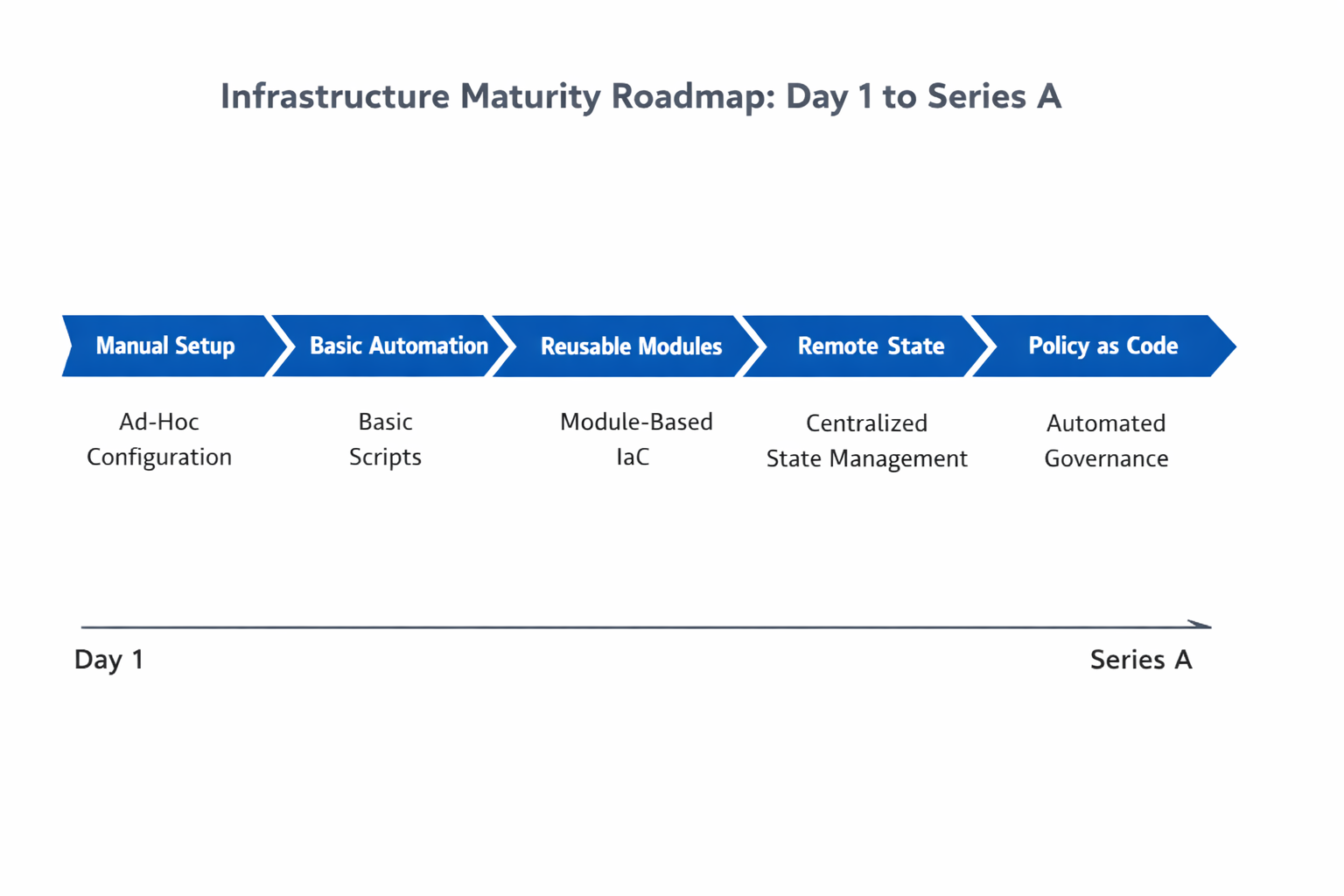
At a high level, Terraform has four concepts every early team should understand: providers, resources, state, and the plan/apply lifecycle. A provider is the plugin that teaches Terraform how to manage a specific platform or API. Every resource type is implemented by a provider, and without providers Terraform cannot manage infrastructure. Resources are the concrete objects you want Terraform to create or manage, such as a virtual network, security group, database, or DNS record. State is Terraform’s record of how configuration maps to real infrastructure. The plan/apply workflow compares desired configuration to current state, shows the intended changes, and then executes them when you apply. (developer.hashicorp.com)
This declarative model is the reason Terraform is better than shell scripts for infrastructure. A script says, “run these commands in this order.” A Terraform configuration says, “this is what the infrastructure should look like.” That distinction matters because scripts are procedural and often fragile under repeated execution, while Terraform is designed to converge toward a desired state and to understand dependencies between resources. If a database depends on a subnet, Terraform can infer and honor that relationship. If a load balancer must exist before a DNS record is attached, Terraform can model that too. The language is built for graph-based reconciliation, not just command execution. (developer.hashicorp.com)
For founders, the practical takeaway is simple: Terraform reduces the amount of cloud knowledge trapped in people’s heads. For engineers, the practical takeaway is equally simple: you should be able to destroy and recreate a non-production stack from code with minimal surprises. That is the test of whether your infrastructure is genuinely manageable. If recreating it requires manual notes, screenshots, or “just remember to click this one thing,” the system is not ready to scale. Terraform’s state and plan workflow are the mechanisms that turn that test into a repeatable engineering practice. (developer.hashicorp.com)
The right Day-1 setup
A good Terraform setup for a startup is intentionally boring. Use a small repository structure that makes ownership obvious, pin provider versions, define naming conventions early, and keep the initial foundation minimal enough to survive change. Terraform’s official docs emphasize that initialization downloads providers and modules, and that you should use versioned dependencies to keep behavior predictable across runs. The .terraform.lock.hcl file is important here because it captures provider versions used in plans and helps ensure repeatability. (developer.hashicorp.com)
A sensible Day-1 repository layout might look like this:
infra/
  environments/
    dev/
      main.tf
      variables.tf
      outputs.tf
    prod/
      main.tf
      variables.tf
      outputs.tf
  modules/
    network/
    app/
    database/
  global/
    iam/
    dns/
This structure keeps environment-specific configuration separate while encouraging reuse through modules. It also avoids the common trap of dumping everything into one massive main.tf. If you are very early, you may not need all of these directories immediately, but planning for them now prevents a later migration when the team is already under pressure. Terraform modules are the intended reuse mechanism, and the documentation explicitly describes them as a way to collect resource configurations into reusable building blocks. (developer.hashicorp.com)
Naming conventions are also worth deciding on early. Choose predictable resource names, tags, and environment labels that encode ownership and intent without becoming overly verbose. A startup does not need enterprise-grade naming bureaucracy, but it does need consistency. That means one way to name a VPC, one way to name a cluster, one way to identify the environment, and one way to tag resources for cost tracking. The goal is to make the infrastructure human-readable enough that another engineer can understand it without asking the original author. (developer.hashicorp.com)
The minimal foundation should focus on the essentials: networking, identity, secrets access, logging, and a deployable application target. Resist the urge to model every possible future dependency immediately. Terraform is strongest when it captures what is real now and leaves room to grow. A small, clean foundation makes future refactors easier, especially when you later introduce modules, separate environments, or more formal remote state management. (developer.hashicorp.com)
State management done properly
State is where many startup Terraform setups fail first. By default, Terraform stores state in a local file named terraform.tfstate, but HashiCorp recommends storing state in HCP Terraform so it can be versioned, encrypted, and securely shared with a team. State is not just a technical detail; it is the source of truth that tells Terraform how configuration maps to real infrastructure. If state is lost, corrupted, or shared casually, every later operation becomes riskier. (developer.hashicorp.com)
For a solo founder or a very early prototype, local state can be acceptable for a short time if the blast radius is tiny. But as soon as more than one person is making infrastructure changes, remote state becomes the safer default. Remote backends provide shared access, reduce the chance of accidental overwrites, and often support locking so two operations do not mutate the same infrastructure at once. HCP Terraform is the official recommendation in HashiCorp’s docs for team use because it adds secure storage, collaboration, and operational guardrails. (developer.hashicorp.com)
Secrets handling is another reason to treat state carefully. Terraform state can contain sensitive values depending on the resources and providers involved, so you should assume that state deserves the same protection as any other operational secret. That means encrypting the backend, restricting access to the smallest practical set of people and systems, and avoiding careless exports of state files. If you need to store or share outputs, prefer explicit outputs that expose only what downstream systems need rather than dumping state broadly. (developer.hashicorp.com)
A practical rule is this: use local state only when the infrastructure is disposable and you are the only operator; move to remote state as soon as collaboration, production traffic, or recovery requirements matter. For many startups, that transition happens almost immediately. The cost of doing it early is low; the cost of doing it after an incident is much higher. (developer.hashicorp.com)
Workspaces, environments, and team boundaries
Workspaces are one of Terraform’s most misunderstood features. In the Terraform CLI, workspaces are separate state instances within the same working directory. They can be useful for certain patterns, but HashiCorp explicitly warns that CLI workspaces are not appropriate for system decomposition or deployments that require separate credentials and access controls. In other words, workspaces are a tool for multiplexing state, not a universal environment strategy. (developer.hashicorp.com)
For startups, the cleanest mental model is to separate environments by configuration when the environments differ in meaningful ways. If dev, staging, and prod have different security boundaries, account structure, regions, or approval workflows, then separate configurations or separate root modules are usually better than relying on workspace conditionals. HashiCorp’s workspace guidance points to alternatives such as reusable modules plus separate configurations with different backends for complex deployments. That is the direction most small teams should follow as soon as the infrastructure becomes business-critical. (developer.hashicorp.com)
That said, workspaces can still be useful for lightweight variations. For example, a feature preview environment or ephemeral test stack may benefit from workspace isolation when the resource pattern is nearly identical and the team does not need strict access separation. Terraform even supports referencing the current workspace name for naming or sizing behavior. But be careful: convenience can become confusion if too many responsibilities are packed into workspace logic. If your code starts branching heavily on terraform.workspace, you may be using workspaces to hide architectural differences that should be modeled explicitly. (developer.hashicorp.com)
A good rule of thumb is to use workspaces for near-identical replicas, not for fundamentally different environments. If you need separate credentials, different blast radii, or materially different lifecycles, use separate configurations or accounts. That pattern is easier to reason about, safer to review, and much simpler to hand off as the team grows. (developer.hashicorp.com)
Modularizing infrastructure early
Modules are how Terraform scales from a handful of resources to a real platform. A module is simply a reusable collection of Terraform configurations that you can instantiate multiple times. HashiCorp’s docs describe modules as the mechanism for collecting resource configurations into reusable building blocks, and they are the right abstraction for startups that want speed without duplication. The earlier you modularize the obvious patterns, the less technical debt you create by copying and pasting whole stacks across environments or services. (developer.hashicorp.com)
The most valuable early modules usually map to stable infrastructure concerns: networking, compute, databases, and app stacks. A networking module might create a VPC, subnets, route tables, and security defaults. A compute module might define ECS services, Kubernetes node groups, or VM autoscaling groups. A database module can encode subnet placement, storage settings, backups, and parameter groups. An application module can connect the rest of the pieces with load balancing, logging, and configuration variables. This separation reduces cognitive load and lets engineers reason about changes in smaller, safer units. (developer.hashicorp.com)
Good modules have clear inputs and outputs. They should not assume too much about the environment, and they should not expose every low-level knob unless there is a real need. The startup temptation is to build a “universal module” that does everything; that often becomes harder to maintain than the duplicated code it was supposed to replace. Instead, build modules around stable patterns and let root configurations express the environment-specific details. If one team wants a managed database and another wants a different CPU/memory profile, the module should support that through explicit variables rather than hidden logic. (developer.hashicorp.com)
Modules also make onboarding easier. A new engineer can read a module once and then reuse it with confidence. That is especially valuable when your team is too small to have specialists for every service. Modules turn best practices into defaults, which is exactly what a startup needs when speed and correctness must coexist. (developer.hashicorp.com)
Security and governance from the start
Security should not be a phase two project. The earlier your startup enforces least privilege, the less likely it is to accumulate dangerous defaults that are hard to remove later. Terraform supports this mindset well because infrastructure changes are already code-reviewed and can be integrated into a controlled workflow. The key is to extend that workflow with disciplined access control, policy checks, secrets management, and drift awareness. (developer.hashicorp.com)
Least privilege means the Terraform runner, the CI system, and each human operator should have only the permissions required for their role. This matters because Terraform often needs broad privileges to create infrastructure, but those privileges should be tightly scoped to the correct account, environment, or workspace. Separate credentials for dev and prod are not optional once the environment has real business value. HashiCorp’s workspace guidance reinforces this by warning against using workspaces for deployments that need separate access controls. (developer.hashicorp.com)
Policy as code is another strong startup move. Even a small team can benefit from policy checks that reject public buckets, untagged resources, or unsafe network exposure before changes are applied. The goal is not bureaucracy; it is to prevent repeated mistakes. Combined with code review, policy checks become a lightweight governance layer that catches problems before they reach production. Drift detection matters too. If someone changes infrastructure outside Terraform, you want to know quickly so the team can reconcile reality with code. HCP Terraform supports run workflows that can help surface and reconcile drift, and its remote state model is built for shared operational control. (developer.hashicorp.com)
Secrets should live in a dedicated secrets manager, not in Terraform code and not casually in state outputs. Terraform should reference secrets by identifier or data source when possible, and sensitive values should be minimized in logs, outputs, and review artifacts. The principle is straightforward: infrastructure as code does not mean secrets in code. A secure startup treats Terraform as a provisioning engine, not as a secret repository. (developer.hashicorp.com)
CI/CD for infrastructure
The best Terraform setup is one that your team can trust without manual heroics. That means infrastructure changes should flow through CI/CD with automated formatting, validation, plan generation, approval gates, and controlled applies. The standard workflow is straightforward: format the code, validate syntax and provider configuration, generate a plan, review the diff, and apply only after approval. Terraform’s plan output is specifically designed to show proposed changes before execution, which is exactly what small teams need when production risk is high. (developer.hashicorp.com)
A practical pipeline for a startup might look like this:
pull request
  -> terraform fmt check
  -> terraform validate
  -> terraform plan
  -> review plan output
  -> approval
  -> terraform apply
This process does not need to be heavy. In fact, the best startup pipelines are often very lean. The important part is that no one applies changes by surprise and that every plan is tied to a reviewed code change. Terraform’s lock file and state model help make plan/apply consistency safer, especially when automated runs are used. (developer.hashicorp.com)
For rollout safety, small teams should bias toward incremental changes. Avoid “big bang” refactors of all infrastructure in one apply unless there is no alternative. If a change affects critical paths, split it into smaller pull requests, confirm the first apply is stable, and then continue. Automation is most valuable when it narrows the blast radius of human error rather than amplifying it. HCP Terraform’s VCS-connected workflows also make it easier to centralize reviews and runs in one place when the team is ready for that model. (developer.hashicorp.com)
Cost control and scaling strategy
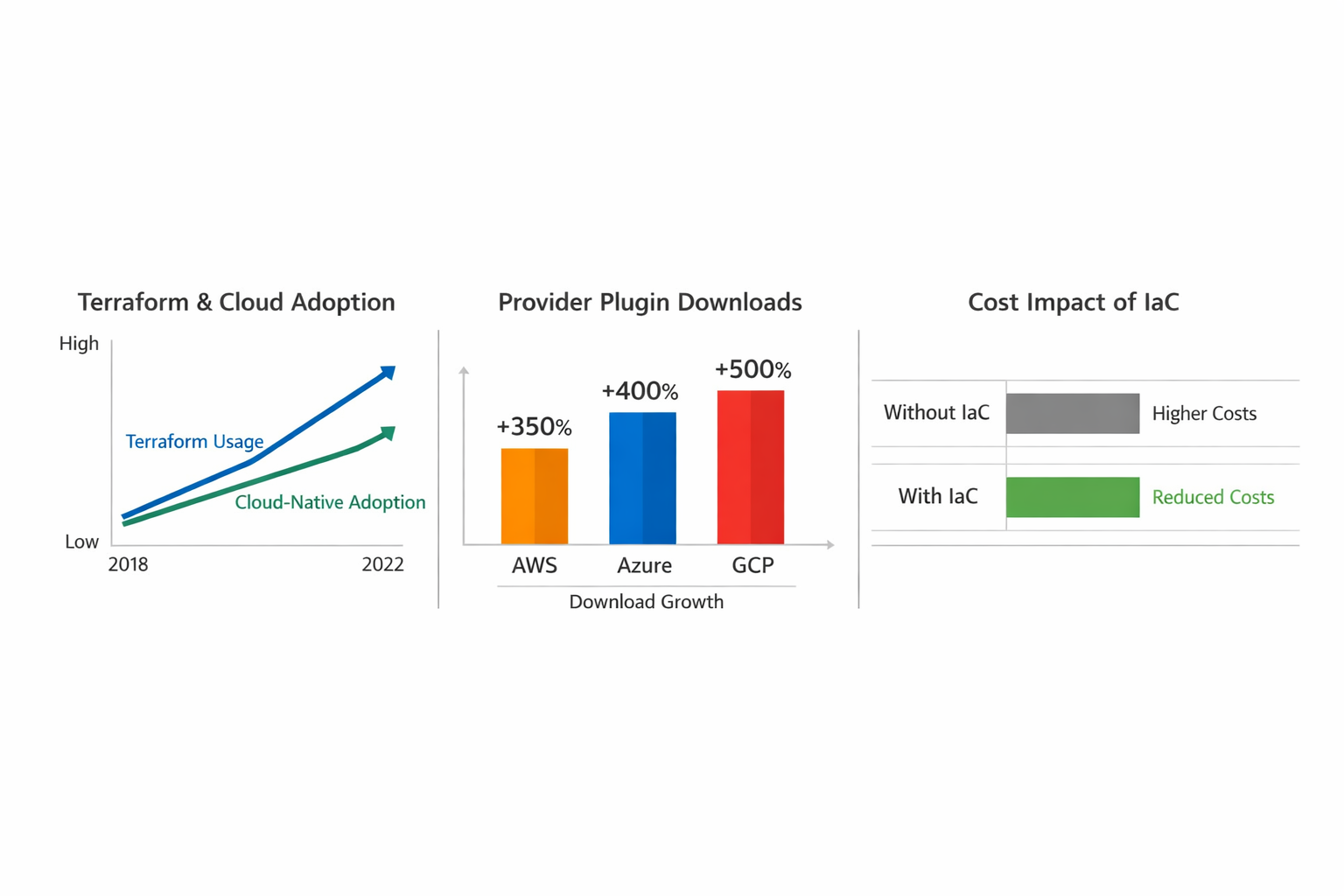
Terraform is not a billing tool, but it is one of the best cost-control tools a startup can use because it creates visibility and repeatability. When infrastructure is code, you can tag resources consistently, inspect planned changes before they land, and clean up unused assets with confidence. Cost waste often comes from forgotten environments, oversized defaults, duplicate services, and resources that nobody owns. Terraform helps reduce that waste because every resource should have a clear declaration, a clear lifecycle, and a clear owner. (developer.hashicorp.com)
Tagging is the simplest cost habit to establish early. Use tags for environment, service, owner, and purpose so finance and engineering can understand where money is going. Right-sizing is the next step: Terraform makes instance class and service sizing explicit, which makes it easier to review and adjust when usage changes. If a staging database is sitting at production scale, that mistake is visible in code and can be fixed in one review rather than by hunting through a console. That same visibility makes it easier to spot orphaned resources, stale environments, and unused load balancers. (developer.hashicorp.com)
Observability should be part of the Terraform strategy as well. Infrastructure changes are easier to trust when logs, metrics, and alerts are provisioned alongside the resources they monitor. This is especially important for startups because infrastructure failures are often small in scope but high in impact. If you can trace a cloud cost spike, a failed deployment, or a leaked resource back to a pull request, you have created an operational feedback loop that scales with the business. (developer.hashicorp.com)
The long-term scaling benefit is that Terraform turns growth into a controlled expansion rather than a scramble. New environments can be added from modules, new services can reuse proven patterns, and old resources can be retired cleanly. That is what “managed properly from day one” really means: the startup stays fast, but the infrastructure remains legible, secure, and economical as it grows. (developer.hashicorp.com)
Conclusion
Terraform is one of the highest-leverage decisions a startup can make for cloud infrastructure. It gives you a declarative model, a safe change workflow, a reusable module system, and a path to collaboration that does not depend on tribal knowledge. More importantly, it prevents the startup trap where cloud setup begins as a quick manual task and ends as a fragile, undocumented system that slows the company down. (developer.hashicorp.com)
If you get the fundamentals right early—remote state, clear environment boundaries, reusable modules, least-privilege access, and CI-driven plans—you create infrastructure that can absorb growth instead of fighting it. That discipline pays off repeatedly: fewer incidents, cleaner reviews, safer scaling, and less rework when the business moves faster than expected. For a startup, that is not overengineering. It is survival engineering. (developer.hashicorp.com)