
How to Add AI to an Existing SaaS Product Without Breaking UX
AI is now showing up in nearly every software roadmap, but adding it to an existing SaaS product is not the same as launching a brand-new AI app. The product already has users, workflows, terminology, navigation patterns, and trust built over time. If AI is introduced carelessly, it can create confusion, slow down core tasks, and make the product feel unpredictable. If it is introduced well, it can reduce effort, improve outcomes, and make the experience feel smarter without forcing users to relearn everything.
The current market pressure is real. Enterprise AI adoption has accelerated rapidly, but many organizations are still stuck in pilot or early-scale phases rather than broad production rollout. That gap matters for SaaS teams: customers increasingly expect AI features, yet they are also wary of hallucinations, opaque behavior, and workflow disruption. The right strategy is not “add a chatbot everywhere.” It is to identify where AI can improve a specific job-to-be-done, deliver measurable value, and remain safely embedded inside the product’s existing mental model.
This post walks through a practical framework for adding AI to an established SaaS product without breaking UX. The emphasis is on product design, not hype: selecting the right use case, preserving core navigation, designing for trust, handling failures gracefully, measuring real impact, and rolling out safely.
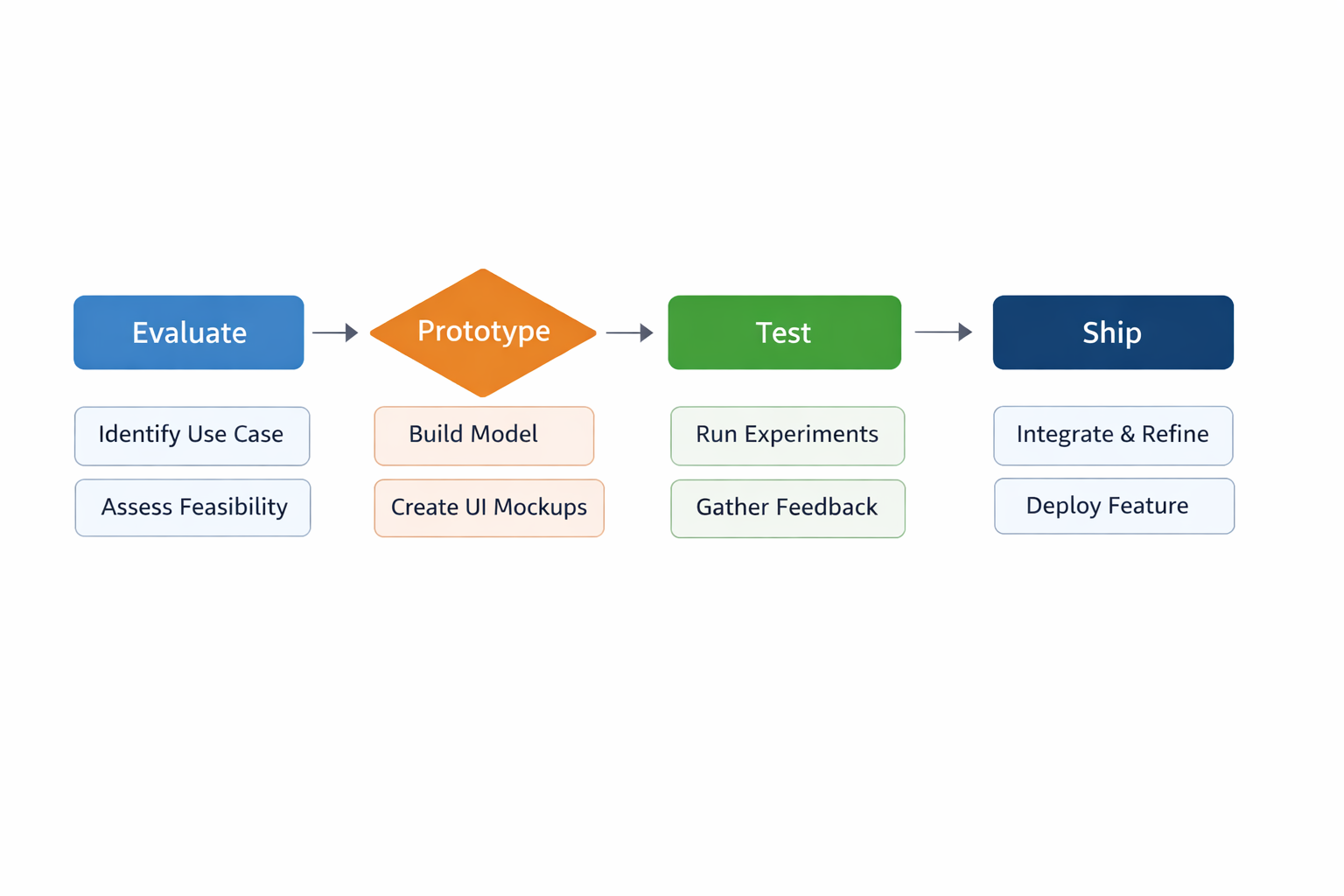
1. Why AI in SaaS is accelerating now: market signals, enterprise adoption, and why most teams are still in pilot mode
AI adoption in enterprise software is accelerating for three reasons: competitive pressure, capability improvement, and operational demand. First, customers now assume that modern SaaS products should include AI-assisted search, summarization, drafting, forecasting, or workflow automation. Second, model quality has improved enough that many narrow business tasks can be meaningfully assisted. Third, teams are under pressure to do more with less, and AI looks like a way to compress time spent on repetitive, text-heavy, or decision-support work.
At the same time, broad production deployment is still slower than the marketing narrative suggests. Many organizations have launched pilots, but scaling remains hard because of governance, data access, model reliability, and UX complexity. In practice, a pilot is easier than a productized AI feature: a pilot can tolerate manual review, occasional failure, and a smaller user group. A product feature cannot. It has to work consistently across roles, edge cases, and varying levels of user expertise.
That’s why many SaaS companies are in a strange middle state. They know AI is strategic, and they have pressure from customers and competitors to ship something quickly. But they also know that a weak implementation can degrade product trust. The right response is not to race toward maximum autonomy. It is to identify narrowly scoped, high-value workflows where AI can assist users without changing the core experience. This is especially important in enterprise settings, where users need predictability, auditability, and control.
A useful way to think about the market is this: adoption is accelerating, but maturity is uneven. Teams are moving from “Can we make AI work?” to “How do we make AI dependable, governable, and useful inside a real product?” That shift changes the product design problem from experimentation to integration.
2. Start with user jobs-to-be-done: identify high-friction workflows where AI saves time without changing core behavior
The safest way to add AI to an existing SaaS product is to start with user jobs-to-be-done, not with model capabilities. In other words, do not begin by asking, “What can the model do?” Begin by asking, “Where do users repeatedly burn time, make mistakes, or delay decisions?” The best AI use cases usually sit inside an established workflow and remove friction from one step, rather than replacing the entire process.
This matters because users do not buy software to interact with AI. They buy software to accomplish a job: create a report, reconcile an invoice, approve a ticket, triage a lead, review a contract, or generate a forecast. If AI improves one part of that job, the value is clear. If AI redefines the whole experience too early, the product can become unfamiliar and harder to use.
Look for workflows that are:
Repetitive but not trivial
Text-heavy, document-heavy, or context-heavy
Dependent on pattern recognition
Time-consuming because of search, review, classification, or summarization
Already part of the product’s core path
Good examples include:
Drafting customer responses from known context
Summarizing long records or activity histories
Suggesting next actions in a workflow
Extracting fields from unstructured content
Helping users search with natural language
Pre-filling forms based on prior data
The key is to preserve the user’s primary intent. If a customer service agent still wants to respond to a ticket, AI can help draft or summarize. If a finance user still wants to approve an expense, AI can flag anomalies or auto-classify receipts. The workflow remains recognizable. The AI simply reduces the cognitive load.
A strong JTBD-driven approach also helps with prioritization. Teams often overvalue “cool” use cases and underweight dull but painful ones. In SaaS, the most valuable AI features are often the least flashy: they shave minutes off daily tasks, reduce context switching, and improve confidence in routine decisions.
3. Choose the right AI use case: augmentation vs automation vs agentic workflows and when each hurts or helps UX
Not all AI features are created equal. One of the most important product decisions is selecting the right interaction model: augmentation, automation, or agentic workflows. Each has different UX tradeoffs.
Augmentation means AI helps the user perform a task faster or better, but the user remains in control. Examples include drafting, summarizing, classifying, recommending, or highlighting anomalies. This is usually the safest starting point because it preserves the user’s mental model and allows easy correction. Augmentation is best when accuracy matters, the task is ambiguous, or user trust is still being built.
Automation means the system performs a task on the user’s behalf, often with review or approval. Examples include auto-tagging content, routing tickets, or generating routine reports. Automation can be powerful, but only when the task is repetitive, low-risk, and easy to verify. If you automate too early, you may reduce user confidence or create hidden errors that are hard to detect.
Agentic workflows go further. Here, AI plans and executes multi-step tasks across tools or systems. This can be valuable for complex work, but it can also be the fastest way to break UX if the product cannot clearly explain what the agent is doing, why it is doing it, and how the user can intervene. Agentic systems require strong permissions, observability, rollback, and state management.
The practical rule is simple: start with augmentation, move to selective automation, and only introduce agentic behavior when the workflow is stable enough to support autonomy. Do not let the model’s capability define the product strategy. Let the user’s tolerance for error define it.

A helpful heuristic:
Use augmentation when the user needs judgment, verification, or a learning curve is still in progress.
Use automation when the task is deterministic enough that mistakes are cheap and visible.
Use agentic workflows when the value comes from orchestration across systems and the user can supervise or interrupt safely.
The UX risk increases as control decreases. That does not mean agentic AI is off-limits. It means it should be designed as a supervised system, not a magical black box.
4. Design for trust: transparency, confidence signals, citations, uncertainty handling, and clear user controls
AI features fail UX when they ask users to trust behavior they cannot inspect. Trust is not just a security problem or a model quality problem. It is a product design problem. Users need enough information to understand what the AI did, how confident it is, what data it used, and what they can do next.
A trustworthy AI experience usually includes several layers.
Transparency. Users should know when they are interacting with AI and what kind of assistance it is providing. If the system generates a summary, drafts text, or recommends an action, label it clearly. Avoid implying certainty where none exists.
Confidence signals. Confidence does not have to be numeric, and in many cases raw probability is not useful. But the UI should communicate whether a result is high-confidence, partial, tentative, or based on limited data. Simple state language often works better than technical scores.
Citations and source grounding. When AI summarizes data, surfaces facts, or recommends an answer, the user should be able to inspect the source. This is especially important in enterprise settings where users need to validate claims quickly. Show references, linked records, or highlighted evidence so users can verify without leaving the workflow.
Uncertainty handling. Good AI design includes explicit handling for “I’m not sure.” That can mean asking clarifying questions, narrowing scope, offering alternatives, or handing off to a human. Uncertainty should not be hidden; it should be a visible state in the flow.
Clear user controls. Users need controls to accept, edit, regenerate, dismiss, or disable AI assistance. They also need the ability to revert AI-generated changes when something goes wrong. The product should make control feel native, not bolted on.
Trust grows when AI behaves like a competent assistant rather than a mysterious authority. The user should never have to wonder whether the system is guessing. The product should make assumptions visible, not invisible.
5. Preserve the mental model: keep navigation, terminology, and primary flows stable while introducing AI as an assistive layer
One of the fastest ways to break UX is to force users into a new mental model just because AI is available. Existing SaaS products have learned behavior: users know where things are, what buttons do, what terms mean, and how workflows progress. If AI changes those foundations too aggressively, users must reorient themselves before they can get value.
The goal is to introduce AI as an assistive layer, not a replacement for the core product structure. That means keeping navigation stable, using existing terminology where possible, and avoiding “AI-first” redesigns that scatter assistance across the interface in unpredictable ways.
For example, if users already manage projects through a familiar list, detail view, and status workflow, AI should support those patterns rather than inventing a separate experience. It might suggest task priorities inside the project view, draft status updates, or summarize blockers at the top of the page. But it should not force the user into a new chat-only interface just to perform tasks they already understand.
This principle also applies to language. The product should not rename familiar concepts with vague AI branding. If users call something an “invoice,” do not suddenly call it a “financial artifact” because the model can reason over it. Terminology consistency reduces cognitive load and improves adoption.
A stable mental model makes AI feel additive. Users should think, “This helps me do what I already do,” not “I now have to learn a new system.” That distinction is especially important for enterprise software, where process clarity is often more important than novelty.
In many cases, the best design is invisible integration. AI sits inside the workflow, providing suggestions, summaries, or next-step recommendations, while the structure of the product remains unchanged. Users get more power without losing orientation.
6. Use progressive disclosure: expose AI only when needed, with defaults, preview states, and reversible actions
Progressive disclosure is one of the most effective patterns for reducing AI friction. Instead of exposing every AI feature all the time, surface it when it is contextually useful. This keeps the interface quieter, reduces intimidation, and avoids making every screen feel like a prompt box.
The best AI experiences often have three layers:
Default state. The standard product experience remains available and familiar.
Assistive state. AI appears when it can help the user complete a task faster.
Deep interaction state. The user can ask follow-up questions, refine outputs, or trigger more advanced behavior.
This approach works because not every user wants AI on every screen. Some just want a clean workflow. Others want help only when the task becomes complex. Progressive disclosure lets both groups coexist.
Preview states are especially important. Before an AI action changes data, show what will happen. For example:
“Here’s the draft response before sending”
“Here are the fields that will be updated”
“These records will be merged unless you edit them”
“This summary was generated from these sources”
Preview states reduce anxiety and create a natural checkpoint for human judgment. They also give users a clear path to reverse or edit changes. In AI UX, reversibility is a form of confidence.
Defaults matter too. If AI can fill in likely values, suggest the next step, or preselect a safe option, it should do so without demanding attention. But the default must be easy to override. The goal is to save effort, not trap users in a system that assumes too much.

Progressive disclosure keeps the feature set aligned with user intent. It prevents overload, supports trust-building, and allows the AI layer to grow over time without overwhelming the interface on day one.
7. Build strong failure modes: fallbacks, human handoff, recovery paths, and graceful degradation when the model is wrong
AI systems will fail. That is not an edge case; it is a design reality. Models may hallucinate, misread context, return incomplete answers, or produce outputs that are technically plausible but operationally wrong. If your product does not have a plan for failure, the user experience will collapse at the first serious mistake.
Strong failure modes begin with fallbacks. If the AI cannot confidently complete a task, the product should gracefully return to a non-AI path rather than dead-ending the workflow. For example, if automatic document extraction fails, allow manual entry. If a recommendation cannot be generated, let the user continue with the standard process. Fallbacks preserve momentum.
Human handoff is equally important. In many SaaS products, AI should reduce work, not eliminate accountability. There should be a clear path for users to escalate ambiguous cases to a human reviewer, support agent, manager, or subject-matter expert. This is especially relevant in regulated or high-stakes environments.
Recovery paths matter because AI mistakes can affect data, decisions, or downstream workflows. If an AI-generated field is wrong, users need to know how to correct it quickly and how to undo the action if possible. Recovery should be designed into the workflow, not treated as an afterthought.
Graceful degradation means the product remains usable even when AI is unavailable, rate-limited, or underperforming. The experience should not depend entirely on the model. If AI is down, users should still be able to search, create, approve, and complete key tasks through traditional interfaces.
A good rule is to make AI optional in the failure state and invisible in the recovery state. When the model fails, the product should not amplify frustration. It should preserve trust by offering a reliable next step.
8. Measure UX impact: task completion, adoption, retention, error rates, trust, support tickets, and qualitative feedback
AI features should be evaluated as product experiences, not just model experiments. A feature can have impressive technical metrics and still hurt UX. To know whether AI is helping, you need a measurement framework that covers efficiency, quality, trust, and behavior over time.
Start with task completion rate. Are users finishing the workflow more quickly or more reliably? AI should reduce effort, not create more steps.
Track time to completion and time saved per task. These measures are often more persuasive than vague “productivity” claims because they tie directly to actual workflow duration.
Monitor adoption and repeat usage. A user may try an AI feature once out of curiosity, but real value shows up in continued use. Segment by role and workflow so you can see where the feature resonates and where it does not.
Measure error rates and correction rates. If users constantly edit AI outputs, the feature may be generating work instead of removing it. Some correction is healthy; high correction density is a warning sign.
Watch retention and feature stickiness. If AI improves a workflow, users should return to it. If usage spikes briefly and then falls, the feature may be novelty-driven rather than useful.
Do not ignore support tickets and qualitative feedback. Complaints often reveal trust issues before analytics do. If support volume rises after launch, users may be confused about AI behavior, permissions, or outcomes.
Finally, measure trust directly through user research. Ask whether users understand what the AI is doing, feel comfortable relying on it, and can recover from mistakes. Trust is not a vanity metric; it is a leading indicator of whether the feature will scale.
A strong measurement model combines quantitative behavior data with qualitative insight. Metrics tell you what changed. Research tells you why.
9. Roll out safely: feature flags, beta cohorts, A/B testing, observability, and phased launches across workflows
AI should almost never be launched all at once across the entire customer base. Safe rollout is essential because the product risk is not just technical; it is also experiential. A feature can perform well in a controlled environment and still fail when exposed to broader usage patterns, different account types, or unexpected data distributions.
Feature flags are the foundation. They let you enable AI for internal teams, specific accounts, selected roles, or narrow workflows. This allows you to test behavior in production without exposing every user at once.
Beta cohorts should be chosen carefully. Pick users who are likely to provide useful feedback, tolerate some rough edges, and represent a meaningful slice of the target workflow. Do not only test with power users who are already AI-friendly; include the users who are most dependent on the workflow and most sensitive to disruption.
A/B testing can help compare AI-assisted flows against standard flows, but it should be used thoughtfully. The key question is not just “Did engagement increase?” It is “Did the AI improve task success, reduce friction, and preserve user confidence?” If a feature increases clicks but lowers trust, it is not a win.
Observability is critical for AI products. You need visibility into latency, failure modes, model outputs, escalation rates, edit rates, and edge-case behavior. Without observability, you cannot diagnose whether a poor experience is due to model quality, prompt design, retrieval problems, or UX design.
Roll out by workflow, not just by feature. A summarization tool might work well for one domain but fail in another. A drafting assistant might be safe for internal notes but not customer-facing communication. Phased launch lets the team learn where the feature is robust and where it needs tighter constraints.
The safest rollout strategy is incremental, instrumented, and reversible. That lets you learn from real usage while protecting core product trust.
10. Future-proofing the roadmap: agentic AI, personalization, governance, and a product strategy that scales beyond the first release
The first AI feature is rarely the end state. It is the beginning of a broader product strategy. If you plan well, your initial launch can become the foundation for richer capabilities such as personalization, multi-step assistance, workflow orchestration, and eventually agentic behavior. If you do not plan well, every new AI feature becomes a one-off implementation with inconsistent controls and fragmented UX.
Future-proofing starts with architecture and product principles. Build a consistent interaction pattern for AI across the product. Establish common conventions for prompting, citations, previews, approvals, undo actions, and error states. Users should not have to relearn the rules each time a new AI feature appears.
Personalization is a major next step, but it should be handled carefully. AI can adapt to role, history, preferences, and context, which makes the product more relevant. However, personalization can also create opacity if users cannot understand why the system is making specific suggestions. The product should remain explainable even as it becomes more tailored.
Governance is becoming more important, not less. As AI features expand, teams need policies for data use, retention, permissions, human review, and auditability. Governance is not just a compliance function. It is a product enabler because it makes broader deployment possible without sacrificing trust.
Agentic AI will likely become more relevant over time, especially for workflows that involve multiple systems and repeated decision loops. But autonomy should be earned gradually. The product needs mechanisms for permissioning, step-by-step visibility, task boundaries, and rollback before it can safely support agents at scale.
The strategic goal is to avoid building a “feature” and instead build an AI capability layer. That layer should be reusable, governable, and consistent across the roadmap. The best long-term SaaS products will not simply add AI; they will redesign how intelligence, control, and workflow coexist.
Conclusion
Adding AI to an existing SaaS product is less about model choice and more about product discipline. The strongest implementations start with real user jobs, target specific friction points, and preserve the mental model users already trust. They use AI as an assistive layer first, not a disruptive replacement for familiar flows.
The main principles are straightforward:
Start with workflows that are painful but stable
Choose augmentation before automation
Design for transparency and reversibility
Keep navigation and terminology consistent
Use progressive disclosure to avoid overload
Build reliable fallbacks and human handoff paths
Measure both efficiency and trust
Roll out incrementally with strong observability
Plan beyond the first feature so the AI layer can scale
If you treat AI as a UX problem, not just a technology trend, you can make the product smarter without making it harder to use. That is the real advantage: not novelty, but durable value embedded inside the workflows users already rely on.